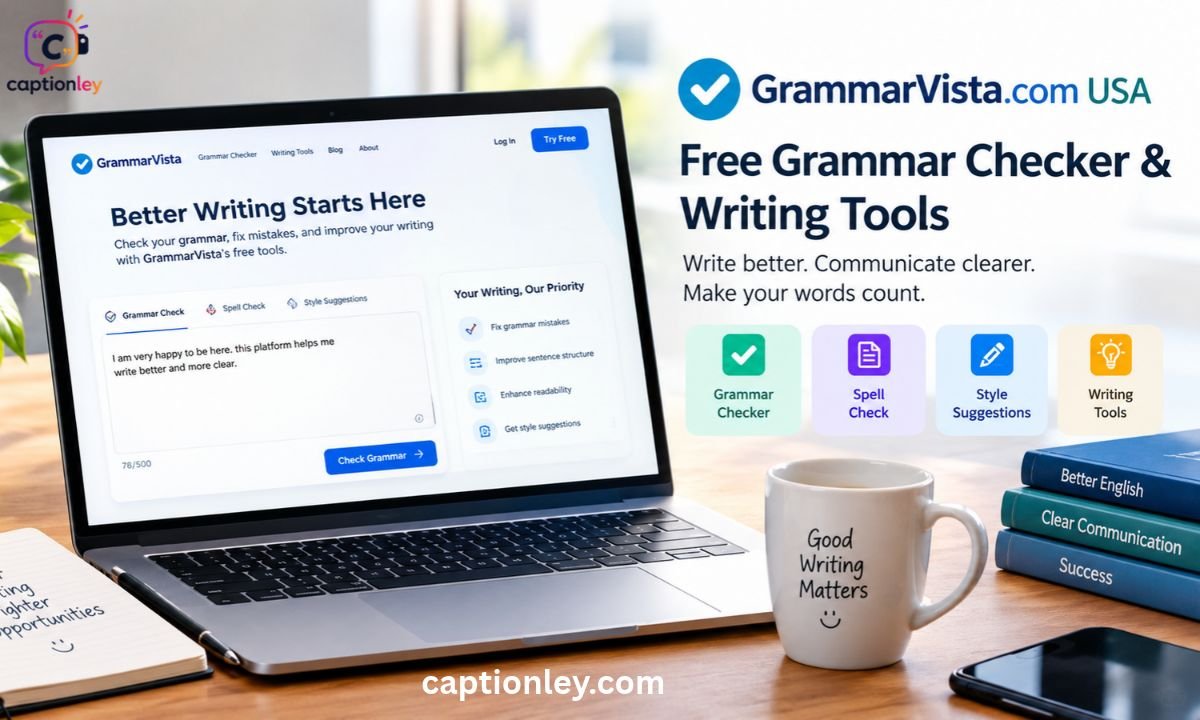
Good writing starts with small details, and grammar mistakes can quietly weaken even a strong message. This review of grammarvista.com explains what the website offers, how its free checker works, and why its American English default matters.
You will learn about its grammar lessons, vocabulary resources, practice test, privacy approach, editorial policy, and honest limits. We also look at who benefits most, from students to busy professionals. Facts come from what the site says about itself, so they are labeled as claims where needed. By the end, you will know whether this tool fits your daily writing routine.
A Practical Look at GrammarVista, Its American English Focus, Tools, Privacy and Learning Resources
This guide takes a practical approach to GrammarVista. Instead of repeating marketing-style praise, it describes what the website publishes, how its tools behave, and where a careful reader should still use personal judgment. Every section answers one clear question a typical visitor might ask.
The article is organized around five main themes:
- Tools: the browser-based checker, the word lookup feature, and the practice questions.
- Language focus: the American English default and the comparison with British usage.
- Learning material: grammar lessons, vocabulary pages, writing advice, and common mistakes.
- Trust signals: privacy details, editorial policy, account rules, and stated limits.
- Audience fit: which types of readers will get the most value.
Statements that come from the website itself, such as rule counts or privacy promises, are described as claims made by the site. That keeps this GrammarVista website review honest and easy to verify. A reader who needs strict privacy or professional-grade editing should always confirm the latest details on the website before relying on them.
Introduction
Grammar mistakes can be small, yet their effect on writing can be large. A misplaced apostrophe, a wrong verb form, or a confusing word can make an email, essay, or blog post feel less polished. That is why many people look for a free grammar checker online before they publish or send anything important.
GrammarVista is one such option. It is a free English-learning website that helps users check grammar, spelling, word choice, and general writing quality. It uses American English by default and also explains how American and British English differ. Beyond the checker, it offers grammar lessons, practice questions, vocabulary pages, and writing advice.
This guide covers the following points in order:
- What the website is and who it is built for
- How the checker and learning resources work
- How privacy, accounts, and pricing are handled
- What the tool cannot do
- Whether it is worth adding to your writing routine
Quick Fact
The table below gives a fast summary of the main details the site states about itself.
| Item | Detail |
| Website | GrammarVista.com |
| Type | Free English-learning website |
| Default language setting | American English |
| Grammar and usage rules | 134 (site claim) |
| Dictionary size | 276,734 words (site claim) |
| Wordy or weak phrases flagged | 44 (site claim) |
| Suggested fixes per issue | Up to three |
| Practice test | 10 questions |
| Account needed | No |
| Paid tier | None stated for the checker |
These figures come directly from the website, so treat them as the site’s own description of its tools. They give a useful snapshot, yet numbers alone do not show writing quality. The sections below explain what each detail means in practice and how it affects the daily experience of using the tool.
What Is GrammarVista.com?
GrammarVista.com is an English-learning website that combines grammar lessons with practical writing tools. Its main sections cover Grammar, Vocabulary, Writing, Guides, and Common Mistakes. Visitors can also use the online checker without creating an account, which makes the first step very simple: enter your writing, run the check, and read the explanations.
That teaching element is the most important part of the idea. A correction on its own only tells you what changed. An explanation shows why the change was needed, which helps you avoid the same mistake next time. Many learners find this more useful than a tool that silently rewrites sentences.
The site also takes an honest stance on its own limits. It states that its checker cannot catch every possible writing problem and does not treat a clean result as proof that the text is perfect. This matters because many online tools suggest otherwise.
In short, GrammarVista works as both a checker and a classroom. You get quick feedback on a draft, plus short lessons that explain the rule behind each suggestion. For anyone who wants to improve English language skills over time rather than simply fix one document, that combination is a strong starting point.
Is GrammarVista.com a USA Website?

There is some confusion around the search term “GrammarVista.com USA.” Many people assume it points to a separate American edition of the site. The website does not describe itself that way. It has an American English default, but it does not present a separate USA-only version.
Its American English page explains the differences between American and British usage. The checker uses American English by default, while the dictionary includes both American and British forms. So the phrase “GrammarVista.com USA” is best understood as the site’s American English focus, not as a regional copy of the website.
This distinction is helpful for several reasons:
- Readers in the United States get spelling and usage that match their audience.
- Readers elsewhere can still use the site, because British forms are also explained.
- Writers can learn which variety they are using and stay consistent.
British English is the form of English used in the United Kingdom, with spellings such as “colour” and “centre.” American English is the form used in the United States, with spellings such as “color” and “center.” The site says neither variety is automatically more correct. The real goal is consistency, meaning you should not mix spelling styles within one document. That balanced view makes the tool useful far beyond the United States.
GrammarVista Grammar Checker
The grammar checker is the main practical tool on the site. A grammar checker is software that scans a piece of writing and flags possible errors in grammar, spelling, and style. Users paste or type their text, run the check, and receive suggested corrections along with short explanations.
According to the website, the current checker covers 134 grammar and usage rules. It checks spelling against a dictionary of 276,734 words and identifies 44 wordy or weak phrases. It can also offer up to three suggested fixes for an issue, which gives users some choice instead of forcing a single rewrite.
The checker’s stated focus includes:
- Grammar and usage
- Spelling
- Clarity
- Word choice
- Readability
Rather than showing only a red mark, the site aims to explain what went wrong. That approach supports grammar correction as a learning activity, not just a quick fix.
Still, a human eye remains necessary. GrammarVista itself says automated checking has limits, because some problems depend on context, judgment, or a wider look at the paragraph. A sentence can be grammatically correct and still be unclear, off-topic, or wrong for the audience. Treat the checker as a helpful first reader, then review the final draft yourself before sending or publishing.
What Kind of Mistakes Can It Check?
GrammarVista’s resources cover many everyday English problems, especially the ones that appear in school essays, emails, and blog posts. A grammar mistakes checker is most useful when it targets errors people actually make, and this site focuses on those.
Some of the most common pairs are small but troublesome. “Your” shows possession, while “you’re” is short for “you are.” In the same way, “its” shows possession, while “it’s” is short for “it is” or “it has.” These tiny differences cause a surprising number of errors in everyday writing.
The Common Mistakes resource also discusses other frequent problems:
- Subject-verb agreement, where the verb must match the subject
- “There is” versus “there are”
- “Should have” instead of the common mistake “should of”
- Double comparisons, such as “more better”
- Modal verbs, which are helper words like “can,” “could,” “should,” and “must”
The table below shows how these errors typically look.
| Error Type | Incorrect Example | Corrected Example |
| Your / you’re | Your going to love it. | You’re going to love it. |
| Its / it’s | The dog wagged it’s tail. | The dog wagged its tail. |
| Agreement | The list of items are long. | The list of items is long. |
| Should have | I should of called. | I should have called. |
The explanations are aimed at practical use. Learners can understand the reason behind a correction instead of memorizing a rule with no context, which is the best way to improve sentence structure and language accuracy over time.
American English Support
American English gets specific attention on GrammarVista. The website gives clear examples of spelling and usage differences between American and British English, which helps writers choose a consistent style. This GrammarVista American English support is one of its most distinctive features.
The table below shows common spelling pairs the site discusses.
| American English | British English |
| color | colour |
| center | centre |
| theater | theatre |
| traveled | travelled |
| canceled | cancelled |
Knowing these pairs matters for anyone writing for a specific audience. A business email to a United States client reads best in American spelling, while a university paper in the United Kingdom usually expects British forms.
The site also points out that some commonly repeated rules are too simple. The “-ize” versus “-ise” issue is a good example. Many people believe British English always uses “-ise,” but not every British publication follows that rule. Some respected publishers prefer “organize” even in British usage. So the site’s approach is less about declaring one form right and the other wrong. It is more about knowing which form you are using and applying it consistently across the whole document.
For anyone searching for an American English grammar checker, this clear explanation of differences is a real strength.
Vocabulary Resources
Grammar is only one part of good writing. Word choice matters just as much, because the right word makes a sentence clearer and more natural. GrammarVista has a dedicated Vocabulary section covering word meanings, confusing words, and word choice, which supports steady vocabulary building.
The site’s writing philosophy also pushes against a common habit: using complicated words just to sound intelligent. That is a sensible point. A simple word can often say more. For example, “start” usually works better than “commence” in ordinary writing, and “use” is often better than “utilize.” The best choice depends on the sentence, the reader, and the purpose of the text.
Vocabulary resources can help you in several ways:
- Understanding meaning: you learn what a word really means before using it.
- Avoiding confusion: you see how similar-looking words differ, such as “affect” and “effect.”
- Improving tone: you choose words that suit a formal email or a friendly post.
- Building range: you gain alternatives so your writing does not feel repetitive.
The site also offers a Word Explorer, which lets users look up a single word. According to the website, an individual word may be sent to a free dictionary service to display its definition, while the complete text being checked is not sent. Good vocabulary is not about stuffing difficult words into every paragraph. It is about choosing the right word at the right moment.
Writing Help for Clearer Sentences
GrammarVista’s Writing section focuses on clear communication. Instead of only fixing rule breaks, it teaches habits that make sentences easier to follow. This supports writing clarity, which is often more important than perfect grammar alone.
The site encourages writers to put the main idea where readers can find it, remove unnecessary wording, and keep sentences easy to understand. These are classic principles of plain writing, and they apply to emails, reports, school assignments, and web content alike.
It also explains that passive voice is not automatically wrong. Passive voice is a sentence structure where the receiver of the action comes first, such as “The report was completed on Friday.” This can be perfectly useful when the report matters more than the person who completed it. Many beginners are told to avoid passive voice completely, but the site offers a more balanced view.
Here is a simple set of steps to improve a draft using this advice:
- Read your first sentence and confirm it states the main point.
- Delete words that add no meaning, such as “really” or “in order to.”
- Split long sentences that carry more than one idea.
- Replace vague words with specific ones.
- Read the text aloud to catch awkward phrasing.
Good writing is about purpose. A checker can catch mechanical problems, but it cannot decide whether your argument is convincing, whether your paragraph is well organized, or whether your tone fits the audience. GrammarVista openly accepts these limits, and that honesty makes its advice easier to trust.
Grammar Practice Test
GrammarVista also provides a 10-question grammar practice test. Practice is how knowledge turns into habit, and a short test is one of the fastest ways to find weak spots. The test focuses on common English problems such as subject-verb agreement, “your” versus “you’re,” “there is” versus “there are,” modal verbs, and comparisons.
This gives learners a quick way to measure what they know. No long course is required. You answer the questions, check the results, and then return to the matching grammar topic to review anything you missed. That loop of testing and review is what makes grammar practice effective.
According to the site, practice results are stored in the browser’s local storage. Local storage is a small area inside your web browser where a website can save simple information on your own device. Because of this design, the practice feature does not require a user account.
A useful routine looks like this:
- Take the test once without checking notes.
- Mark the topics where you made mistakes.
- Read the lesson for each weak topic.
- Retake the test a few days later.
Students preparing for exams, English learners building confidence, and professionals refreshing basic rules can all use this simple method. The short format also makes it easy to fit practice into a lunch break or a commute without any setup.
Is GrammarVista Free?
Yes. GrammarVista currently presents its tools as free to use. The site says users do not need to create an account or provide an email address before using the main checker. It also states that there is no paid tier or subscription system for the checker. For people searching for free grammar tools, this is a major point in the site’s favor.
Free access matters for a few practical reasons:
- You can test the tool before deciding whether it suits your needs.
- Students on tight budgets can use it without paying.
- There is no pressure from trial periods or renewal reminders.
Many online grammar services keep their best features behind a subscription, so a fully free checker stands out. At the same time, a free tool should be judged by its limits and not only by its price. The site is open about what its checker can and cannot catch, which helps users set realistic expectations.
The process is simple. Open the site, enter text, and run the check. There is no complicated setup, no software to install, and no learning curve. That ease of use is part of the appeal, especially for people who only need a quick review of a short email or paragraph. Since pricing and features can change, check the current site before relying on this information for a long-term plan.
Does GrammarVista Upload Your Writing?
This is one of the more interesting points about the service. GrammarVista says its main checker runs inside the user’s browser and that writing entered into the checker is not uploaded to its servers. Its privacy policy also states that checker text is not collected, stored, or logged.
For people who work with private drafts, that can be an important consideration. Think of unpublished articles, business proposals, personal letters, or student essays. Many users feel more comfortable when they know their words stay on their own device.
The site’s Word Explorer works differently, as explained earlier. An individual word may be sent to a free dictionary service when someone looks up its definition. The site says the complete text being checked is not sent for that purpose. So there are two separate behaviors to understand: the full checker stays local, while a single word lookup may use an outside dictionary.
The table below separates the two.
| Feature | What the Site Says About Data |
| Main grammar checker | Text stays in the browser; not uploaded, stored, or logged |
| Word Explorer | A single word may go to a free dictionary service |
| Practice test | Results saved in browser local storage |
Even with these claims, users should read the current privacy policy before relying on any promise for sensitive work. Policies can change, and strict confidentiality needs deserve a direct check.
Does GrammarVista Require an Account?
No account is currently required for the main tools. The site says users can check writing without registering, entering an email address, or paying for a subscription. This matters for GrammarVista account requirements, because many tools ask for sign-up before showing any value.
The lack of registration brings several benefits:
- Speed: you start checking within seconds.
- Privacy: you share fewer personal details.
- Simplicity: there are no passwords to remember.
- Lower risk: fewer stored details means fewer details that could be exposed.
This approach fits the site’s general philosophy: open the tool, use it, and learn from the result. It also connects with the practice test design, since results are kept in the browser instead of a user profile.
There is one trade-off to keep in mind. Without accounts, your progress is tied to the device and browser you use. If you clear your browser data or switch computers, saved practice results may not follow you. For most casual users, that is a small price for a simpler experience. People who want long-term tracking across devices may need to keep their own notes. Overall, the no-account model makes the tool easy to try, easy to leave, and light on personal data.
Who Is GrammarVista For?
GrammarVista can be useful for several groups of readers. The common thread is that each group wants clearer English without paying for a complex tool. The sub-sections below explain how each audience can use the site.
Students
Students can use the grammar lessons and practice questions to review common mistakes before submitting essays or reports. The explanations help them understand why a sentence is wrong, which builds stronger habits than simple auto-correction. Quick checks are especially helpful during busy exam periods, when there is little time for long study sessions. Students should still follow their school’s rules about editing tools and keep their own voice in the work.
English Learners
People learning English can read explanations and compare American and British forms. The simple language of the lessons helps beginners and intermediate learners avoid feeling overwhelmed. The practice test also gives them a clear way to measure progress, while the vocabulary section helps with confusing word pairs that appear again and again.
Bloggers and Content Writers
Writers can use the checker to spot certain grammar, spelling, and word-choice issues before publishing. Clean copy supports reader trust, and the wordy phrase detection can help tighten long paragraphs. Bloggers who write for a United States audience will also appreciate the consistent American spelling. A final manual read-through is still wise, because tone and structure need a human decision.
Professionals
Emails, reports, and everyday workplace writing can benefit from a second check. A single typo in a client message can create a poor impression, and a quick scan costs almost nothing. The privacy claims about local processing may also appeal to professionals handling draft documents, though sensitive material should always be reviewed against the current policy.
Teachers and Tutors
The site’s explanations and examples can serve as supporting material when teaching common English mistakes. Teachers can assign the practice test for review, use the comparison of American and British spelling in class, or share a lesson link to clarify a single rule.
Still, nobody should treat an automated checker as the final editor. GrammarVista says as much itself.
Who Runs GrammarVista.com?
Website ownership and authorship are important trust signals, especially for a site that teaches grammar. The site’s About and editorial information identify Rizwan Aslam as the editor. According to the website, he writes and reviews lessons, works on grammar rules, creates examples, develops the English-learning tools, and prepares practice questions.
Knowing who stands behind a site helps readers decide how much weight to give its advice. A named editor is more transparent than an anonymous page with no author. It also gives readers someone to hold accountable if a rule seems wrong.
A few points are worth keeping in mind:
- The information about the editor comes from the website itself.
- A name does not automatically prove professional qualifications.
- Readers can compare lessons with other trusted grammar references.
The website does not present the editor as a replacement for professional teachers or editors. That fits the site’s stated position on automated grammar checking, which accepts that human judgment matters. This modest framing increases credibility, since overblown promises are a common warning sign for educational websites. Cross-checking any rule you plan to use in a formal document is a smart habit, regardless of how reliable the source appears.
GrammarVista Editorial Policy
The editorial policy gives useful information about how the website says it creates its content. An editorial policy is a public statement describing how a publisher researches, writes, and reviews its material. It helps readers judge whether the content follows consistent standards.
According to the published policy, topics can come from real questions and issues found through the site’s checker. The team then researches the rule, creates original examples, gives the answer early, discusses exceptions, and offers a practical way to test the rule. Giving the answer first respects the reader’s time, while discussing exceptions prevents the false certainty found in many simple grammar lists.
The policy also describes these goals:
- Use original examples instead of copying other sources.
- Check grammar rules against established usage.
- Identify exceptions where a rule does not always apply.
- Label American and British differences where needed.
The site also says it avoids unsupported accuracy percentages. That is a good sign. A grammar checker should be judged by what it actually does, not by a random accuracy number with no testing method behind it. Claims such as “99% accurate” sound impressive but mean little without evidence.
An editorial policy does not guarantee perfection, yet it shows a willingness to explain methods openly. For readers who care about website reliability, that openness is a positive signal worth noting.
What GrammarVista Cannot Do
No grammar checker catches everything, and GrammarVista makes that clear. Understanding grammar checker limitations helps you avoid trusting a clean result too much. The site’s own tools page lists several areas where the checker can miss problems.
The table below summarizes the main gaps the site describes.
| Limitation | Why It Matters |
| Some agreement problems | A verb may still not match its subject |
| Comma issues | Pauses and clause breaks can be wrong |
| Run-on sentences | Several ideas may be joined badly |
| Tense changes | Time shifts may confuse readers |
| Correctly spelled wrong words | “Form” instead of “from” passes a spell check |
| Tone problems | The style may not suit the reader |
| Argument strength | Logic and evidence need a human judge |
A clean checker result therefore does not mean the writing is ready for publication. The tool checks patterns, while a reader checks meaning.
A careful review process can fill the gaps:
- Run the draft through the checker.
- Read it slowly, one paragraph at a time.
- Read it again out loud to hear problems.
- Ask a friend or colleague to review important documents.
For academic, legal, business, or professional documents, human editing still matters. Think of GrammarVista as a first filter and not as the final approval. That mindset keeps your writing safe and your expectations realistic.
GrammarVista Privacy Approach
Online privacy is a major concern for anyone who pastes personal writing into a web tool. GrammarVista’s privacy policy says the site does not collect the actual text entered into the main checker. It also says the service does not require accounts, passwords, or payment details for the checker. These points support the site’s claim of strong user privacy and data protection.
The policy discusses other website functions as well. These include analytics, which are tools that measure how many people visit and which pages they view, plus Google Fonts, a free service from Google that supplies web typefaces. Information supplied through contact features is also covered. Such items are common on websites, and mentioning them shows a reasonable level of transparency.
Here are practical steps for privacy-minded users:
- Read the current privacy policy before using the site for confidential material.
- Avoid pasting passwords, financial details, or personal identification numbers into any online tool.
- Clear your browser data if you share a device and want to remove saved practice results.
- Use a contact form only for general questions, not sensitive details.
The exact policy can change over time, so users with strict privacy requirements should check the current version directly on GrammarVista. A policy is only as reliable as its latest update, and a short review takes only a few minutes. This careful habit protects you on this site and on any other writing tool you try.
GrammarVista.com USA: Is It Worth Using?
For a free grammar and English-learning resource, GrammarVista has a straightforward appeal. You can check writing without signing up. You can read grammar explanations in plain language. You can practice common mistakes through a short test. You can also compare American and British English usage in one place.
The table below weighs the main strengths against the main cautions.
| Strengths | Cautions |
| Free access with no account | Cannot judge tone or argument |
| American English default | Not a replacement for a teacher |
| Clear explanations of rules | May miss some commas and tense shifts |
| Local-processing privacy claim | Policy should be rechecked for sensitive work |
| Short 10-question practice test | Progress tied to one browser |
Expectations should stay realistic. It is not a replacement for a teacher, and it is not a replacement for a professional editor. A checker cannot understand every piece of writing the way a human reader can. Think of it as a useful first check, followed by your own judgment.
Who should try it? Students, English learners, bloggers, office workers, and tutors who want fast, free feedback will probably find it helpful. Who should be cautious? Anyone preparing legal, academic, or high-stakes business documents should add human review. Used with that mindset, the website offers real value for everyday writing and steady skill growth.
Frequently Asked Questions
What is GrammarVista.com?
GrammarVista.com is a free English-learning website that provides grammar checking, spelling support, vocabulary resources, writing guidance, and grammar practice.
Is GrammarVista.com based in the USA?
GrammarVista uses American English as its default checker language, but the site does not present itself as a separate USA-only edition. It also discusses British English.
Is GrammarVista free?
Yes. The website currently says its main tools are free and do not require an account or subscription.
Does GrammarVista require registration?
No. GrammarVista says users can use its checker without creating an account or providing an email address.
Does GrammarVista upload the text I check?
The site’s privacy policy says text entered into its main checker stays in the user’s browser and is not uploaded, stored, or logged by GrammarVista.
Does GrammarVista support British English?
Yes. The site discusses both American and British English and explains differences between the two varieties.
How many grammar rules does GrammarVista check?
GrammarVista currently says its checker covers 134 grammar and usage rules.
Does GrammarVista replace a human editor?
No. GrammarVista itself says its checker has limits and cannot judge every issue involving context, tone, argument, organization, or writing quality.
Conclusion
GrammarVista.com takes a practical approach to English. The site puts its American English setting up front while still recognizing British English. Its checker focuses on common grammar, spelling, and writing issues, and its learning material tries to explain the reason behind each correction, which turns a quick fix into a lesson.
Free access is another strong point, along with the site’s willingness to state its limits openly. There are no accounts to create, no subscription to manage, and a clear statement that the main checker text is not uploaded. Those details make the tool easy to try and easy to trust, as long as users confirm the current policy for sensitive work.

Maryam is a passionate content writer with 4 years of experience at CaptionK, where she developed engaging and informative content. Currently, she is working at Captionley.com, creating high-quality content that connects with readers and delivers meaningful value.