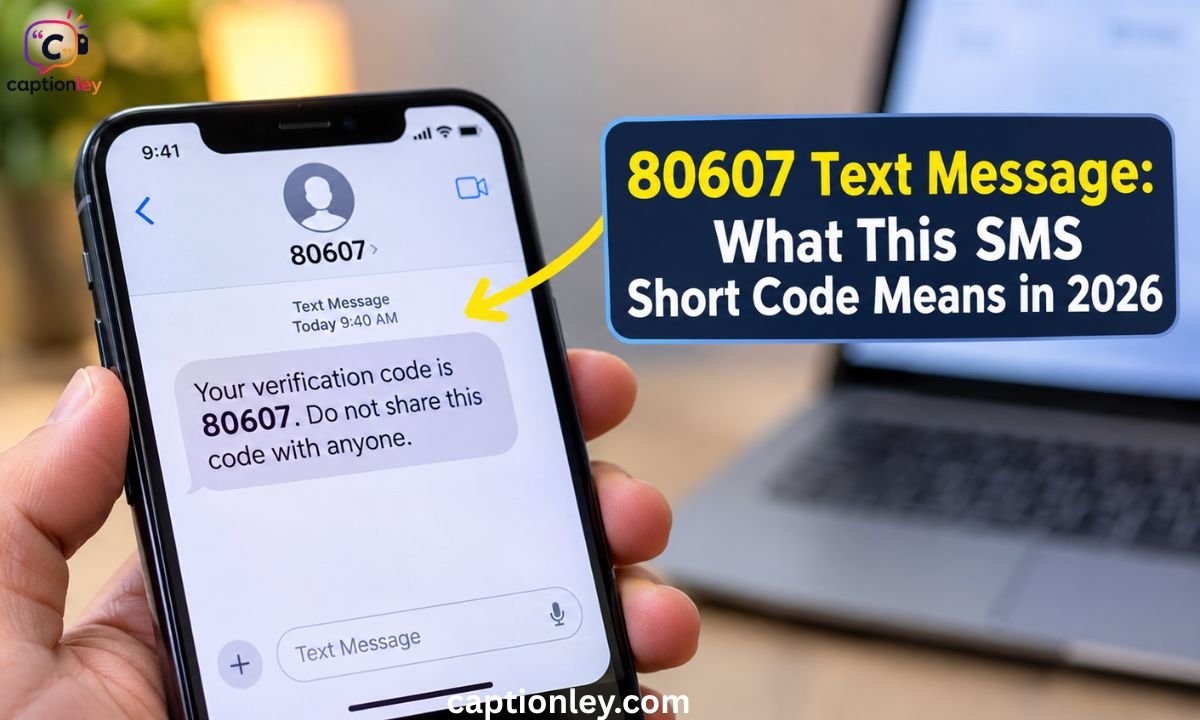
Your phone buzzes, and an unknown sender appears with only five digits. If that number was 80607, you are in good company. This guide explains what an 80607 text message is, why it reached your phone, whether it is safe, and how to stop it.
You will learn how five-digit short codes work, how carriers such as T-Mobile and Verizon deliver them, what they cost, and how to check a sender before tapping any link. It also covers iPhone, Samsung, and Android steps, plus a simple lookup method. Read on, verify the sender, and take control of your inbox in 2026.
What Is 80607 Text Message?
An 80607 text message is a message sent from a five-digit number instead of a normal ten-digit phone number. Businesses use this format for Short code SMS messaging because it is built for sending large volumes of Text message notification alerts quickly. These include promotions, order updates, delivery notices, and SMS verification messages.
Most people who see this sender are part of an opt-in program. At some point, you may have typed your number at checkout, ticked a small consent box, joined a giveaway, or created an account. That action can place your number on a list for SMS messaging services, even if you forgot about it.
The key point is that the number itself is not the danger. A short code is only a delivery channel. What matters is who is using it and what the message asks you to do.
80607 Short Code Text Message
An 80607 short code text message follows the same rules as other Five-digit SMS short codes. Short codes are leased from a registry and tied to a registered campaign, which means a company must describe its purpose before using one. This is a big reason why short codes are often more traceable than random ten-digit numbers. Still, an 80607 SMS short code can be reused by different campaigns over time, so always read the message itself before deciding what it is.
Quick Facts About the 80607 Number Text Message
The table below gives a fast summary of what you can usually expect from an 80607 number text message.
| Attribute | Detail |
| Number type | Five-digit SMS short code |
| Common reported sender | SHEIN marketing alerts (reported by users; confirm with a lookup) |
| Typical purpose | Promotions, order updates, opt-in program messages |
| Cost to receive | Usually covered by your plan; carrier rates may apply |
| How to stop | Reply STOP |
| Help option | Reply HELP |
| Risk level | Usually low if you opted in; be careful with links |
This table works as a quick checklist. Many users link this code to SHEIN, an online fashion retailer that sends marketing and order texts. However, short code ownership can change, and public sources do not always agree, so treat that detail as a strong clue rather than proof. Your own message text and the company name inside it are the most reliable evidence.
Why Am I Getting a 80607 Text Message?
If you are asking, “Why am I getting 80607 text messages?”, the most common answer is consent given earlier. Online stores often collect phone numbers for discount offers, cart reminders, and shipping updates. A typical message says you signed up for marketing texts and can reply STOP to unsubscribe or HELP for help.
Here are the most common reasons people receive these texts:
- You entered your number while checking out online.
- You joined a discount or giveaway offer for a first-order coupon.
- You created an account and accepted messaging terms.
- A friend or family member used your number by mistake.
- The number was previously owned by someone else who signed up.
That last point surprises many readers. Phone numbers get recycled, so a new owner may receive messages meant for the old one. If you never shopped with the sender, a recycled number could explain the Unknown number text messages.
Once you know the reason, the fix becomes simple. Check the message wording, think about recent purchases, and decide whether you want to keep the alerts.
Is 80607 Spam or a Scam?

Many people ask, “Is 80607 a scam or legitimate?” For most users, it is a normal marketing alert, not a 80607 text message scam. Still, an 80607 spam message is possible if the content looks wrong, because scammers sometimes copy the style of real brands. Phishing texts are fake messages designed to steal passwords, card numbers, or personal data, and they often use fear or urgency.
Use the two lists below to judge what you received.
Signs It’s Safe
- The message includes STOP and HELP instructions.
- The sender matches a company you have used.
- There are no threats about suspended accounts.
- Links lead to a familiar, spelled-correctly website.
- The tone is promotional, not urgent.
Signs to Be Cautious
- The brand name is unfamiliar or misspelled.
- The text asks for a password, PIN, or payment details.
- It pressures you to click right now.
- You have never interacted with the company.
- The link uses a strange shortened address.
Think of Suspicious links as the real warning sign. A Fraudulent message rarely asks you to reply STOP; it asks you to act fast. Never tap a link you do not trust, and use Message verification steps from the lookup section below if you are unsure.
80607 Text Message on Different Phones & Carriers
Short codes are carrier-neutral, so the experience is similar across devices. The small differences are in how each phone shows the sender and handles blocking.
80607 Text Message iPhone
On an 80607 text message iPhone, the message appears in the Messages app as a normal thread labeled with the five-digit sender. Tap the sender at the top, then choose the info option to block the caller or filter unknown senders. iPhone is Apple’s smartphone line.
80607 Text Message Samsung
On an 80607 text message Samsung phone, the alert appears in the default Samsung Messages app or Google Messages. Open the thread and tap the menu to block the number or report spam. Samsung is a major Android phone maker.
80607 Text Message T-Mobile
T-Mobile is a U.S. wireless carrier, and it supports short code delivery nationwide. An 80607 text message T-Mobile subscriber receives it like any other SMS. T-Mobile also provides spam-blocking tools in its account settings and app.
80607 Text Message T-Mobile Reddit
Searches for an 80607 text message Reddit thread, including T-Mobile discussions, usually show users asking the same questions: who sends it and how to stop it. Reddit is a community forum, so treat posts as opinions, not proof. Look for repeated reports and compare them with the text you received.
80607 Text Message Verizon
Verizon is another large U.S. carrier. On an 80607 text message Verizon plan, replying STOP to the program’s short code is the standard way to cancel. Verizon also offers a spam filter and reporting options through its app.
80607 Short Code Text Message Android
For an 80607 text message Android user, open the thread, tap the three-dot menu, and choose block or report spam. Android is Google’s mobile operating system, and the steps are almost identical across brands. Check Text message settings if you want to filter all unknown senders.
How to Stop 80607 Text Messages
Learning how to stop 80607 text messages takes only a minute. Follow these ordered steps, starting with the simplest.
- Reply STOP to the number. This is the official opt-out keyword.
- Wait for a confirmation message saying you are unsubscribed.
- Reply HELP if you need information about the program.
- Block the number in your phone settings for extra protection.
- Report continued messages to your carrier by forwarding them to 7726, which spells SPAM on a keypad.
Use these steps for How to block unwanted text messages from any short code. Spam reporting helps carriers improve Message filtering, which protects other users.
One caution: reply STOP only if you believe the sender is real. If the message looks like a scam, do not reply. A reply can confirm that your number is active. In that case, block it, report it, and delete the thread. Unwanted messages from real companies must honor STOP requests under U.S. marketing rules, so continued texts afterward are worth reporting.
Does the 80607 Text Message Cost Money?

The Short code text message cost to you is usually zero beyond your normal plan. Most carriers include incoming SMS in standard plans, and many plans offer unlimited texting. If you have a limited plan or travel abroad, Text message charges could apply, so check your account.
It helps to separate normal short codes from Premium SMS. Premium SMS services bill extra fees to your phone bill for content such as contests or subscriptions. A legitimate marketing code like this one is normally not premium, but you should still read any message that mentions fees or “subscription.”
| Message Type | Typical Cost to You | Example |
| Standard short code | Usually covered by plan | Order updates |
| Premium SMS | Extra fees on bill | Paid subscriptions |
| International roaming | Possible carrier charges | Texts while abroad |
This table shows why your plan matters more than the number. If a charge appears on your bill that you do not recognize, contact your carrier and ask them to identify it.
Understanding Short Codes and SMS Technology
A little background makes every message easier to judge. The sections below explain the technology behind the alerts.
What Is a Short Code?
A short code is a five- or six-digit number that companies lease to send high-volume texts. It is different from a long code, which is a normal ten-digit phone number. Short codes support faster sending and require registration, which adds a layer of accountability. Short code registration involves describing the campaign, so carriers know what the number is for.
SMSC (Short Message Service Center)
SMS stands for Short Message Service, the basic text system on mobile networks. The SMSC (Short Message Service Center) is the network element that stores, forwards, and delivers texts. Every message, including this one, passes through SMSC routing before it reaches your handset. This is why SMS delivery can be delayed if your phone is off or out of range.
Twilio and Short Code Messaging
Twilio is a cloud communications company that businesses use to send texts through an SMS gateway, which is software that connects a business system to mobile networks. Twilio short code messaging lets a brand send alerts without building its own network connection. Many Messaging service providers work this way, so seeing a provider name in documentation does not mean the message is fake.
Why Does My Text Say SMS?
If you ask why your text says SMS, your phone is labeling the delivery type. SMS is plain text sent through the carrier network. Other options, such as iMessage on iPhone or RCS on Android, use internet data and support richer features.
Why Do My Text Messages Say SMS?
When your messages show SMS instead of iMessage, the other side may not support an internet-based chat service. Your phone then falls back to the older standard. This is normal for short codes, because businesses send through carrier SMS rather than app-based chat.
What Is the Code for SMS?
There is no single code for SMS. Each business receives its own number. Some short codes also carry Authentication code messages, such as a One-time password (OTP) that confirms your identity. A Security notification may arrive from a bank on a different code, so never assume one number covers every service.
Why Does My Message Say Text Message?
When your thread says Text message, it confirms standard carrier delivery. It is only a label. It does not show whether the sender is safe, so always rely on content and Sender verification.
How to Look Up Text Codes
An SMS short code lookup is the best way to learn who stands behind a number. Follow these steps for Message sender identification.
- Type the code into a search engine with words like “who owns” or “text message.”
- Check a public short code directory to see the registered company and purpose.
- Compare the message with the company’s official website or app.
- Read recent user reports to spot patterns, while remembering they are opinions.
- Contact the company directly using a number from its official site, never one in the text.
This approach answers How to identify SMS short codes without guesswork. A Short code lookup tells you who leases the number, but the campaign can change, so also judge the message itself. Strong habits protect your Mobile security and Online privacy: never share passwords, avoid clicking unknown links, and keep your phone software updated.
Short code messaging safety is mostly about patience. A real sender gives you time to check; a scammer rushes you. If something feels off, pause and verify first.
Frequently Asked Questions
What is 80607 text message?
It is an SMS sent from a five-digit short code, commonly linked by users to marketing alerts and order updates.
How do I stop 80607 text messages?
Reply STOP to unsubscribe, or block the number in your phone settings and report spam to 7726.
Is 80607 a scam or legitimate?
Usually it is a legitimate opt-in message, but treat urgent requests or unknown links with caution.
How to look up text codes?
Use a public short code directory, enter the number, and compare the registered company with your message.
Conclusion
An 80607 text message is, in most cases, a routine opt-in alert from a marketing or notification program, often reported as linked to SHEIN. It is rarely a threat when you recognize the sender and see STOP and HELP instructions. Check the sender, avoid suspicious links, and reply STOP if you no longer want the texts.
Use an SMS short code lookup when you are unsure, and report anything that looks like fraud to your carrier. Whether it reached an iPhone, Samsung, T-Mobile, or Verizon line, the same calm steps apply. Stay informed, stay careful with links, and keep your inbox the way you want it.

Maryam is a passionate content writer with 4 years of experience at CaptionK, where she developed engaging and informative content. Currently, she is working at Captionley.com, creating high-quality content that connects with readers and delivers meaningful value.