This guide looks at WiseStudySpot.com tech content from every practical angle. The name suggests a classroom, yet the site works as a blog about artificial intelligence, software, SEO, gadgets, and tutorials. You will learn what the WiseStudySpot website publishes, how its categories are organized, and why it does not count as a formal learning platform.
The article also examines safety, legitimacy, privacy, and author information, then gives you a simple method to test any post before acting on it. Finally, it compares the site with lookalike domains and lists the mistakes readers make most often. By the end, you will know how to use the site wisely and where to verify.
What Is WiseStudySpot com?
WiseStudySpot.com is an editorial website. It publishes informational articles, guides, and product reviews about technology and digital growth. The layout looks like a standard blog, and the public pages do not show a school, an app store, or a software company behind it.
Think of it as a magazine rack for people who like tech. You browse the covers, pick what interests you, and read. The site does not ask you to enroll, and it does not hand out grades. That simple setup is easy to understand once you know what to expect. The confusion starts with the name, which the next two sections untangle.
Overview and Main Purpose of WiseStudySpot.com
The main purpose of the WiseStudySpot website is to inform and inspire. Writers publish articles, and the site sorts them into topic categories. A visitor opens the menu, chooses a subject such as AI or SEO, and reads the post. Reading should never require a password or a card number.
This purpose matters because it sets the right expectations. A site built to inform is not a store, and it is not a teaching institution. Good website evaluation begins with one plain question: what does this site actually do? Only after that answer is clear does it make sense to ask whether you can trust it.
Digital publishing of this type serves casual readers. Someone might spend ten minutes learning what a new AI writing helper does, then move on. Another reader might want a short lesson on how search engines rank pages. Both visitors leave with ideas, not credentials. That is exactly how the site should be used, as a first stop rather than a final authority.
What Makes WiseStudySpot com Different?
Most blogs stay inside one niche. This one mixes artificial intelligence, SEO, gadgets, and tutorials under one roof. That mix suits beginners and small site owners who want a wide view without visiting five different websites.
The language also stays plain, and pages are easy to scan. These traits shape the overall user experience in a positive way, because a reader can find a topic and understand it quickly.
There is a trade-off, though. A broad blog cannot go as deep as a specialist site. A dedicated cybersecurity publication will usually explain a threat in far more detail than a general tech blog can. So the wise approach is to treat the WiseStudySpot technology articles as an entry point and use other sources when you need expert-level depth.
What Does WiseStudySpot com Cover?

The homepage shows several main areas. Together they form the core of the site’s WiseStudySpot tech guides and related content. Sites change over time, so treat the table below as a snapshot, not a permanent map.
| Category | What Readers May Find |
| Artificial Intelligence | Guides on AI writing tools and image generators |
| Software and Tools | Articles on apps, business tools, and marketing helpers |
| SEO and Digital Growth | Lessons on search and technical SEO |
| Tech News | Updates on new releases and trends |
| Gadgets and Reviews | Notes on devices and browser extensions |
| How-To Guides | Step-by-step tutorials |
Each category works best as a launch pad. One reader may want a quick list of AI tools, while another wants a simple lesson on search visibility. These online resources give you names and ideas. Your job is to check the facts afterward, using the sources the original makers publish.
Artificial Intelligence and Emerging Technologies
Artificial intelligence is the loudest topic in tech right now. Expect WiseStudySpot AI articles about writing helpers, image generators, and similar emerging technologies. These tools change fast, and a feature you read about in spring may disappear by autumn.
Because of that speed, use each article to learn the idea, not to confirm the details. After reading, open the tool’s own website and check its current features, limits, and prices. Many AI products also change their privacy terms, which matters if you plan to upload personal or business files.
Reading about technology trends is useful for staying aware. Just remember that a trend article captures one moment. When you spot a promising tool, test it with harmless sample content before trusting it with anything important.
Software, Digital Tools, and Applications
WiseStudySpot software guides cover business apps, SaaS products, and marketing helpers. SaaS means software as a service, which is software you use online by subscription rather than installing once.
Posts about software applications work like a shopping list, not a receipt. Plans change, free trials end, and discounts expire. Treat every roundup of WiseStudySpot digital tools as a first look.
Before you pay, verify the final cost on the developer’s official page. Also read the cancellation terms, since many subscriptions renew automatically. A short comparison of two or three tools on their own websites will tell you more than any single review can.
Technology News, Gadgets, and Reviews
WiseStudySpot technology news keeps readers aware of new releases and industry shifts. The WiseStudySpot gadget reviews add notes on devices and browser extensions, which are small add-on programs that change how a web browser behaves.
A strong product review shows real use. Look for photos, test notes, or side-by-side results. Then ask one question about each post: did the writer actually try the product? If the review only repeats the maker’s sales language, seek a second opinion.
News posts also age quickly. A story about the latest gadgets may be outdated within weeks. Check the date, and compare the claim with the manufacturer’s page before you buy anything.
Tutorials, How-To Guides, and Online Resources
WiseStudySpot tutorials teach tasks in plain steps, such as setting up a blog or trying a new app. Some work like study guides for digital skills. Step-by-step tutorials are helpful because they break a big job into small actions.
They can also age badly. A software update may move a button or rename a setting, and then the steps no longer match the screen. Run each step on a test copy first, not on your live project. That habit protects your files and saves you from silly mistakes.
These online resources are best when paired with official help pages. If the tutorial and the help page disagree, trust the help page, because the software maker controls the product.
SEO, WordPress, Shopify, and Website Development
Site owners will find growth advice here. Topics include search engine optimization, content marketing, and store setup. You may also see WiseStudySpot WordPress tutorials, WiseStudySpot Shopify guides, and general website development tips.
Search rules shift often, so compare each SEO tip with Google Search Central, which is Google’s own documentation for site owners. For platform steps, check the WordPress documentation and the Shopify Help Center, the official guides from each platform.
A good habit is to test one change at a time on your own site. If rankings or sales move, you will know which change caused it. Advice that mixes ten changes at once is hard to learn from.
Is WiseStudySpot com a Study or Online Learning Platform?
No. The word “study” in the name suggests homework help, but the public pages show articles and guides. They do not show enrollment pages, graded tests, or a classroom portal.
That does not make the site useless for learning. A library table has no teacher either, yet people learn from the books on it. The sections below explain where the site fits and where it does not, so you can set honest expectations before you spend time on it.
Is the Website Designed for Students and Learners?
Not in the classroom sense. Still, WiseStudySpot educational resources can serve as light background reading. A student might use a post to grasp a tech term before a lesson, which supports independent learning on a casual level.
For graded work, follow your teacher’s rules about sources. Many schools do not accept general blogs as citations. The smart move is to use the article as a pointer, then trace each claim back to a primary source, such as a research paper, an official manual, or a company announcement.
Digital literacy is the real skill at work here. Learning to ask where a claim came from is more valuable than any single fact you pick up from a blog post.
Does WiseStudySpot com Offer Courses, Certificates, or Apps?
No courses or certificates were confirmed on the public pages reviewed. Real certificates need graded tests and a clear awarding body, such as a university or a recognized training company. Apps and paid software were not confirmed either.
So reading a post earns no credential. If you spot an offer that claims otherwise, slow down. Open the seller’s official page, read the terms, and check independent reviews before you pay or download anything.
This caution applies to any site, not only this one. Offers that promise certificates for little effort deserve extra suspicion. A genuine program explains who teaches it, how you are assessed, and who recognizes the result.
How It Differs From Formal Education Platforms
A blog and a formal platform serve different needs. The table below shows the gap in plain terms.
| Feature | Editorial Website (like WiseStudySpot) | Formal Learning Platform |
| Main content | Articles and guides | Structured courses and modules |
| Instructors | Blog authors or contributors | Certified teachers or professors |
| Tests and homework | Not observed | Quizzes, projects, and exams |
| Certificates | Not confirmed | Some offer certificates or degrees |
| Accreditation | Not confirmed | Often backed by schools or companies |
The comparison shows that the two types of site answer different questions. A blog answers “what is this and where do I start?” A formal platform answers “how do I master this and prove it?”
Educational platforms also track your progress and give feedback. An article cannot do that. Use the blog to explore, and move to a structured course when you need skills you can show an employer.
Is WiseStudySpot com Legitimate, Safe, and Trustworthy?

Start by splitting the question in two. Security asks whether the site is safe to open. Accuracy asks whether the articles are right. A secure connection protects data traveling between your browser and the site, but it does not prove that a post is correct.
The WiseStudySpot website shows public articles and a Contact Us page, which is a decent sign of a real publication. Yet that alone does not settle WiseStudySpot safety. Reliability must be checked article by article. The table below works as a quick guide.
| Green Flags | Red Flags |
| Named authors with clear experience | No byline at all |
| Links to official sources | Claims with no proof |
| Recent dates and update notes | Old prices and old app versions |
| About, Contact, and disclaimer pages | Hidden owner details |
| Real screenshots and test notes | Only glowing praise |
Use the left column as a checklist of good signs and the right column as a list of warnings. A site rarely scores perfectly on either side, so look at the overall balance instead of one single item.
How to Check the Website’s Credibility
WiseStudySpot credibility starts with basic signs of life. Look for an About Us page, a Contact Us page, and a disclaimer. They work like a shop sign and a phone number. They show that the shop exists, but they do not prove the goods are good.
These trust indicators help you decide how much weight to give each post. Add a few more checks:
- Read the About page and note whether it explains the site’s mission.
- Test the contact details to see whether they look genuine.
- Scan several posts and compare their quality.
- Look for a clear privacy policy.
- Check whether the posts show consistent, recent updates.
Doing these five steps takes only a few minutes. Together they give you a fair first impression of the site’s website legitimacy.
Who Publishes the Content?
Names build trust. Check the byline and any author profile on each post. Strong author expertise means real experience with the topic, such as years of work in SEO or software.
WiseStudySpot author information is easy to review on the pages themselves. Also look for website ownership details. Who runs the site, and where are they based? When a site hides these facts, trust drops.
A missing owner does not prove bad intent, because domain privacy services are common. Still, it limits what you can confirm. Professional credentials, such as certifications or published work, add weight. Without them, treat the writing as one informed opinion, not expert testimony.
How to Evaluate Sources, Evidence, and Accuracy
Good writers show their proof. That is source verification in action. A solid post links to company announcements, manuals, or official documentation. Open the link and compare it with the claim.
This is how you judge WiseStudySpot content accuracy yourself. When a post names no sources, treat its claims as opinion. Strong information needs supporting evidence, such as screenshots, data, or quotes from the product maker.
Try this simple routine on any technical claim:
- Find the specific statement you plan to rely on.
- Locate the same fact on an official page.
- Note whether the dates and version numbers match.
- Skip any claim you cannot confirm.
This approach keeps reliable information sources at the center of your decisions and keeps weak claims out.
Website Security, Privacy, and Potential Risks
WiseStudySpot website security begins at the address bar. Look for HTTPS, the secure version of the web protocol, but remember that a padlock only means the connection is encrypted. Skip pop-up ads and large “Download Now” buttons unless you know exactly what the file is.
Keep passwords and card details private, and do not enter them on pages you reached through an article. For privacy protection, be careful about sharing your email in exchange for free files.
You can also run the address through Google Safe Browsing, a free Google tool that flags dangerous websites. Most cybersecurity risks for casual readers come from fake download buttons and phishing pages, which are pages built to steal your login details. These simple habits cover most of the WiseStudySpot privacy and data privacy concerns a reader will meet.
Who Can Benefit From WiseStudySpot com?
The site suits curious readers who want plain ideas without heavy jargon. Beginners, bloggers, creators, and small business owners all fit. Each group gets a quick map of a topic, which is the real educational value on offer. It sparks interest, but it does not replace expert training.
Here is a short example. Sara runs a small shop. She reads a post about local SEO and learns why her shop needs a clear online listing. Then she opens Google’s own help pages and confirms every step. Her plan works because she used the blog for ideas and official pages for facts.
High-stakes work needs the same care. For advanced code or serious business advice, start with official documentation and use the blog only for background.
Students and Independent Learners
Students can use the site to pick up terms before a lesson. Independent learners can spot topics worth a deeper look, such as a new programming tool or a marketing method.
A tech blog may not meet citation rules, so check your school’s policy first. Then follow the trail to the original source and cite that instead. This turns a casual read into a proper research habit and builds stronger online learning resources for your own notes.
Technology Enthusiasts and Software Users
Technology enthusiasts will enjoy the discovery side. You can scan new gadgets, browser extensions, and app names in minutes. Software users can compare options before choosing one for daily work.
Think of the posts as a fun window-shopping trip. You see what is out there, then step inside the store, which means the developer’s official page, for the real details. The final buying choice still deserves a second look at price, support, and privacy terms.
Bloggers, SEO Professionals, and Website Owners
Bloggers and SEO professionals can find fresh ideas on traffic, content, and site setup. The WiseStudySpot SEO guides and related posts may also help owners who manage WordPress or Shopify stores.
Search rules shift often, so test each tip on your own site and compare the results. Use official guides to confirm anything that could hurt your rankings. A small test today can save you a big headache tomorrow, especially when a change touches site structure or page speed.
How to Evaluate WiseStudySpot com Articles Before Using Them
Evaluating online information is a skill you can use everywhere. Try the five-step test below on any post. It takes about five minutes and covers author, evidence, testing, recency, and fit.
| Step | Question to Ask |
| Author | Is a real person named with clear experience? |
| Evidence | Does the post link to official tools or sources? |
| Testing | Does it show practical steps or examples? |
| Recency | Is there a recent date and current app version? |
| Practical fit | Does the advice suit your situation? |
Most boxes should be ticked before you act on advice. Missing one is not fatal, but missing most of them is a warning. This routine also shows how to verify a tech website in practice, and it builds your sense of website reliability one article at a time. Trust the proof, not the headline.
Check the Author’s Expertise and Credentials
Start with the byline. A named writer with relevant experience earns more trust than an unnamed one. Click the author profile and see what else they have written. Someone who covers one topic well for years often knows it better than a one-time writer.
Look for professional credentials as well, such as past roles, published work, or recognized certifications. If no author appears at all, read with extra care and lean harder on official sources.
Verify Facts and Supporting Evidence
Next, test the facts. Open each link and read the original source. If a post says a setting exists, find that setting in the official help pages.
When the proof does not match the claim, trust the proof. Supporting evidence can be a screenshot, a changelog, or a statement from the product maker. This simple habit keeps bad advice out of your projects and helps you build real information verification skills.
Look for Practical Examples and Product Testing
Reviews need real use. Look for practical examples and product testing, such as screenshots, test results, and error fixes. A review with only glowing words is a red flag. Likewise, a tutorial without screenshots makes steps hard to follow.
Real testing leaves marks. The writer might mention a slow loading screen, a confusing menu, or a feature that failed. Honest notes about flaws usually signal that the writer actually used the product.
Check Publication and Update Dates
Find the date at the top and look for an update line. Publication dates matter because technology ages quickly, like milk on a warm day. A two-year-old guide may point to a button that no longer exists.
Match the post’s date to the tool’s current version and price. Old posts can still teach ideas well, so do not throw them away. Their steps may simply fail, which is why updated technology guides are worth more than archived ones.
Compare Information With Trusted Sources
Finally, cross-check. Trusted sources for technology research include official product manuals, the WordPress and Shopify help pages, and Google Search Central. For web standards, MDN Web Docs is a solid choice. It is a reference site maintained by Mozilla and a community of contributors, and it explains how web languages work.
When two trusted sources agree with the post, you can relax a little. When they disagree, follow the official source and treat the blog as outdated or mistaken.
How to Use WiseStudySpot Com for Study and Technology Research
Use the site as a starting point. It can give you tool names, plain ideas, and fresh topics. Treat each post as a map and not the territory. Then follow the links and read the primary sources. Note anything you cannot confirm, which keeps your research honest.
The table below shows where each topic fits best and where to confirm it.
| Area | Best Use | Where to Confirm |
| AI | Learn concepts and tool names | The tool’s official site |
| SEO | Pick up ideas on search and content audits | Google’s documentation |
| Software reviews | Find app names and compare options | Developer pages for plans and trials |
| Search trends | Learn new terms | Search engine announcements |
The pattern is the same in every row: use the blog to discover, then use the official source to confirm. This approach turns a casual site into a handy first stop for technology research.
Finding Relevant Tutorials and Technology Guides
Browse the category menu and pick the topic that fits your goal. Then scan titles for the newest posts. Choose guides with clear steps and fresh dates.
Save two or three that match your task and compare them side by side before you start. If all three agree on the key steps, you can feel more confident. If they differ, check the official help page to see which one is current.
Using Articles for Initial Research
Articles work well for a first pass. They give you vocabulary and a rough outline of a subject. But they are not academic research sources.
Using online resources for serious study means going further. Follow the links, find the original study or document, and cite that. Your teacher or editor will respect the extra effort.
A helpful method is to keep a short notes file with three columns: the claim, the source you found, and whether it matched. After a few sessions, you will see which types of claims hold up and which do not.
Verifying Information Before Making Decisions
Before you buy, install, or publish anything, verify the details. Check the price on the official page. Read the terms. Test code on a private copy. Ask a second source for a quick opinion.
This final check turns a good read into a safe decision. It matters most when money, customer data, or a live website is involved. A few extra minutes can prevent a costly error.
WiseStudySpot Com vs. Similar Websites and Domains
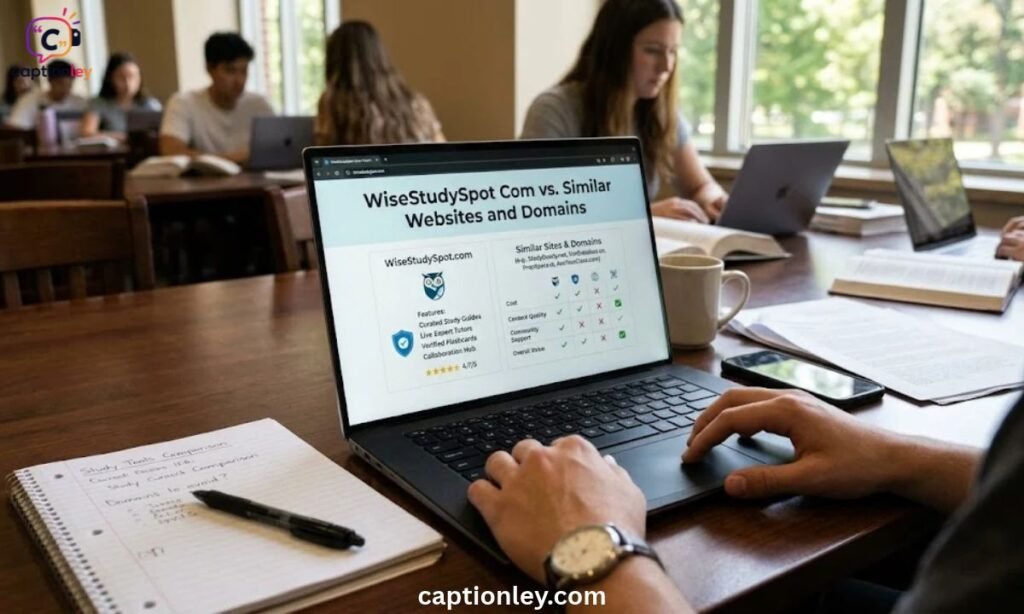
Lookalike names are common online. Different sites with similar names may have different owners, so never assume a shared team. This matters for WiseStudySpot similar websites that use .net, .org, or hyphenated endings. A shared word in a name proves nothing about shared ownership.
Careful checking takes only seconds. Look at the address bar before you download a file or enter your email. The table below shows how to treat each variation.
| Domain Name | What You Should Do |
| wisestudyspot.com | Confirm this exact address in your browser |
| wisestudyspot.net | Treat as a separate site unless linked officially |
| wisestudyspot.org | Do not assume the same team runs it |
| Hyphenated lookalike | Inspect the homepage and contact page first |
Make this a quick habit and you will avoid most copycat traps. The table works as a domain comparison guide for any site, not only this one.
WiseStudySpot com vs. Formal Learning Platforms
The comparison with online learning platforms is really a gap between ideas and instruction. Coursera is a large platform that hosts university and company courses, and Khan Academy is a nonprofit offering free structured lessons. Both provide the practice and feedback that an article cannot.
These educational platforms suit anyone who needs real courses, and they are strong alternatives for digital learning. Use the blog for quick tech ideas and a formal platform for skills you need to prove. The two work well together when each plays its proper role.
How to Distinguish WiseStudySpot com From Similar Domains
Start with domain name verification. Type the address yourself instead of clicking a random link. Check the spelling letter by letter.
Then compare the homepage, contact page, and About page with what you expected. You can also use the ICANN lookup tool, run by the nonprofit that coordinates domain names worldwide, to see public registration details for a domain. Some details may be hidden by privacy services, so a blank result is not alarming on its own.
Follow this ordered routine whenever a similar name appears:
- Type the exact address manually.
- Compare the logo, layout, and writing style.
- Read the About and Contact pages.
- Check the registration record.
- Leave if anything feels inconsistent.
Why Domain Names and Website Ownership Matter
A domain name is a website’s address and its identity. Different owners set different standards for accuracy, ads, and privacy. If a copycat borrows a brand name, you might share data with the wrong people.
Clear ownership details help you know who to contact when something goes wrong. They also help you decide whom to trust. In short, the owner behind a site shapes the quality of its content, which is why WiseStudySpot website ownership is worth checking on any similar domain you meet.
Common Mistakes to Avoid When Using WiseStudySpot com
Readers slip in the same few ways. The first mistake is to assume security means truth. A padlock only shows an encrypted connection. The second is to confuse blog posts with courses. Reading an article does not earn a certificate. Both mistakes are easy to avoid once you know them.
Other errors cause more damage. Some readers skip source links and trust one post for a tricky fix. Others click unknown downloads without checking the destination. A few paste code straight into a live site. The table below pairs each slip with a better move.
| Mistake | Why It Hurts | Better Move |
| Trusting the padlock alone | Security is not accuracy | Check sources too |
| Treating posts as courses | No credential is earned | Choose an accredited platform |
| Skipping source links | Errors go unnoticed | Open and read the originals |
| Clicking unknown downloads | Malware risk | Verify the destination first |
| Pasting code into a live site | Sites can break | Test on a private copy |
Malware means harmful software built to damage devices or steal data, so the download row deserves special attention. Treat each row as a reminder to pause before you act.
To stay safe, keep these habits close:
- Check the date on every post.
- Open the original source for any big claim.
- Never share passwords or card numbers because of an article.
- Test tutorials on a private copy first.
- Confirm the exact domain before you sign in anywhere.
Followed together, these habits turn the site from a risk into a reliable idea source.
Frequently Asked Questions
What Is Wisestudyspot.com Tech?
Wisestudyspot.com Tech is a technology-focused search term associated with digital information, helpful tech resources, online learning, and technology-related updates.
What Topics Does Wisestudyspot.com Tech Cover?
It may cover technology trends, digital tools, software guides, online resources, educational content, and practical tips for understanding modern technology.
Is Wisestudyspot.com Tech Safe to Visit?
Check the website’s HTTPS connection, privacy policy, contact details, and content quality before sharing personal information or downloading anything.
Is Wisestudyspot.com Tech Free to Access?
Visitors should review the website’s access requirements to determine whether its technology articles, educational resources, and other available content are free.
Why Are People Searching for Wisestudyspot.com Tech?
People may search for Wisestudyspot.com Tech to discover its purpose, explore technology-related information, understand its features, and evaluate its usefulness.
Conclusion
WiseStudySpot.com tech content is best understood as a technology and digital growth blog. It offers helpful articles on AI, software, SEO, gadgets, and tutorials. It is not a school, and no courses, certificates, or apps were confirmed. Used wisely, it is a handy place to spark ideas and find tool names.
That sums up the credibility question in one line: useful, but verify. Confirm the exact domain, check each publication date, and compare technical steps with official guides before any big decision. Do that, and you will gain real value while staying safe.

Maryam is a passionate content writer with 4 years of experience at CaptionK, where she developed engaging and informative content. Currently, she is working at Captionley.com, creating high-quality content that connects with readers and delivers meaningful value.