This guide explores from the blog playbattlesquare.com website and shows how the Playing Games Blog PlayBattleSquare helps players learn faster, play smarter, and stay safe. You will see what the site offers, from game walkthroughs and Minecraft strategies to performance tuning and hardware advice.
The article explains FPS, input lag, and ping in plain words, compares controllers with keyboards and mice, and reviews monitors, mice, and headsets. It also covers community features, safe online gaming habits, and how the site compares with other blogs.
What Is Playing Games Blog PlayBattleSquare?
Playing Games Blog PlayBattleSquare is a gaming-focused resource that teaches players how games work and how to get more from them. Think of it as a friendly coach that sits beside you while you play. Instead of hunting through scattered forum threads, you find guides, tutorials, news, and hardware advice in one organized place.
The PlayBattleSquare gaming blog speaks to casual players and serious competitors alike. It covers shooters, survival titles, sandbox worlds, strategy games, and relaxed casual picks. The language stays simple, which makes it a good starting point for people who feel lost in gaming jargon. The sections below explain its purpose, its main features, and what kind of site it really is.
Overview and Purpose of PlayBattleSquare
The main goal of the PlayBattleSquare website is to help you learn faster and enjoy games more. Its gaming guides break big ideas into small steps. You might read about a combat mechanic in the morning and test it that same evening. That loop of learning first and practicing right away is a proven way to build skill.
Many players waste hours on trial and error. A clear lesson can shrink that effort into a few focused minutes. The site also supports a better gaming experience in general. It helps you tune your setup, understand updates, and avoid common mistakes. In short, the purpose is practical improvement, not just entertainment.
Key Features of PlayBattleSquare
PlayBattleSquare features cover several useful areas, and each one solves a real problem players face. The table below shows how the main parts fit together and why each one matters.
| Feature | What It Does | Why It Helps You |
| Game guides | Explains mechanics and systems | Speeds up learning |
| Tutorials | Teaches skills step by step | Builds confidence |
| Gaming news | Tracks patches and releases | Keeps you informed |
| Hardware reviews | Compares gear | Prevents bad purchases |
| Performance tips | Improves FPS and response | Makes games smoother |
| Community content | Shares player experience | Adds fresh ideas |
The table shows a balanced mix of learning, news, and technical help. Most gaming sites focus on only one of these areas. A blend of all six lets a player grow in skill, stay current, and keep gear in good shape without visiting several different websites. These PlayBattleSquare benefits add up over weeks of steady use.
Is PlayBattleSquare a Gaming Blog or Gaming Platform?
It works as a gaming blog and learning hub. It does not host games. You will not download titles or join matches there. Instead, you read, learn, and then jump into your favorite game with sharper skills.
This distinction matters for expectations. A platform like Steam, which is a large store and launcher where people buy and play PC games, delivers the games themselves. A blog delivers knowledge about those games. Knowing the difference keeps you from searching the site for downloads or account services it does not offer. Treat it as a reference library for players, and it will serve you well.
Why PlayBattleSquare Is Useful for Gamers in 2026
Games change fast. A balance patch can flip a strategy overnight, and new releases land almost every week. Hardware keeps getting more demanding too. Keeping up can feel like running on a treadmill that keeps speeding up. A trusted online gaming blog slows that treadmill down.
PlayBattleSquare sorts the noise into clear topics. You can find the latest gaming updates in one section and tutorials in another. As a result, you spend less time searching and more time playing. The two sections below explain how blogs like this improve play and what benefits come from reading guides regularly.
How Gaming Blogs Help Players Improve
Practice matters, but focused learning often beats random practice. Picture a student who studies the exam topics before doing practice questions. That student improves faster than one who guesses. Reading before playing works the same way, because a good blog points your effort at the right target.
PlayBattleSquare gaming resources also reduce frustration. When you know why a strategy works, you can adapt it to new maps, heroes, or game modes. Blogs also gather lessons from many players, so you benefit from tests you never had to run yourself. This is one of the best ways to improve gaming skills without burning out.
Benefits of Reading Gaming Guides and Tutorials
The benefits of reading gaming guides add up quickly. You save time, avoid common mistakes, and pick up ideas from players who tested them already. Good game tutorials work like a recipe. You could guess the ingredients and burn dinner twice, or follow the steps and eat well tonight.
Here are the main gains players report from steady reading:
- Faster learning of mechanics and controls
- Fewer wasted hours on weak strategies
- Better understanding of updates and patch changes
- Smarter spending on gear
- More confidence when trying new games
A mechanic that takes fifty hours to discover alone may take five minutes to learn from a clear guide. That gap is the real value of PlayBattleSquare game tutorials.
Main Gaming Content Categories on PlayBattleSquare
One blog, four big topic areas. That is the neat part of this setup. Each category targets a different need, so you can jump straight to what matters today or browse them all over a few evenings.
These areas also work together. A guide teaches a skill. News tells you when the skill changes. Competitive tips sharpen it. Then hardware reviews help your gear keep up. Together they provide gaming resources for casual and competitive players from start to finish.
Game Guides and Walkthroughs
Stuck on a boss fight? Game walkthroughs come to the rescue. PlayBattleSquare game walkthroughs explain core mechanics, character abilities, crafting systems, and combat tactics. Good gaming guides and walkthroughs also teach why a move works, not just which button to press.
That deeper understanding carries over to other games. A player who learns why positioning matters in one shooter will use the same idea in the next. This is why strong guides build lasting skill instead of temporary shortcuts. Always check the guide’s date, since a patch can change a strategy overnight.
Gaming News and Updates
Patch notes can change everything. A nerfed weapon, which means a weapon made weaker by developers, or a buffed hero, which means a hero made stronger, can ruin or rescue your favorite build. PlayBattleSquare gaming news keeps you ready for those shifts.
You also hear about major releases, expansion news, and esports events. Esports means organized competitive video gaming, often with prize money and professional teams. Staying informed means fewer surprises mid-match. It also helps you plan what to play next and which updates deserve your attention.
Competitive Gaming Tips and Strategies
Fast fingers are only half the story. PlayBattleSquare competitive gaming content focuses on positioning, timing, and teamwork. Map awareness often wins fights before they start. Clear callouts, which are short spoken messages about enemy locations, help teammates act together.
These competitive gaming strategies reward smart players as much as quick ones. A calm player who reads the match often beats a faster player who rushes. If you play ranked modes, where wins and losses move your skill rating, small improvements in decision-making can add up to big climbs over a season.
Gaming Hardware and Equipment Reviews
Gear shapes your experience. PlayBattleSquare gaming hardware reviews compare mice, keyboards, monitors, controllers, and headsets. Good gaming content reviews cut through marketing hype and tell you what actually changes your gameplay.
That knowledge protects your wallet and boosts comfort. A quality review explains who a product suits, where it falls short, and what to buy instead. PlayBattleSquare gaming equipment coverage is most useful when you read it before shopping, not after. A few minutes of research can prevent an expensive mistake.
Minecraft Guides and Strategies on PlayBattleSquare
Few games inspire creativity like Minecraft. It is a sandbox game made by Mojang Studios, where players mine resources, craft items, and build almost anything in blocky worlds. The PlayBattleSquare Minecraft guides cover building, farming, automation, and survival.
Whether you are new or experienced, these lessons save time. They teach smart planning, efficient farming, and clever automation. They also explain the reasons behind each choice, which makes every lesson easier to remember. The following sections look at the most useful PlayBattleSquare Minecraft strategies.
Why Minecraft Remains Popular Among Gamers
Minecraft suits almost everyone. Builders love the freedom. Explorers love the huge worlds. Survival fans love the challenge, and engineers love the wiring puzzles. Friends can also team up in multiplayer worlds and create shared projects.
That wide appeal keeps the game fresh year after year. It also explains why so many players search for guides. A game with so many paths creates endless questions, from how to protect a base to how to build a fast farm. A focused blog helps players choose a path and move forward without confusion.
Minecraft Building Strategies for Better Gameplay
Smart builds do more than look nice. They protect you and speed up progress. Strong Minecraft building strategies start with planning. Check the terrain before you place a block, keep resources close to your base, and leave space for later growth.
Defense matters too. Elevated structures, lit walls, and controlled entrances keep hostile mobs, which are enemy creatures, out of your home. Beginners often skip planning and later rebuild everything. A simple sketch on paper can save hours of repair. Good building habits also make later projects, such as farms and storage rooms, much easier to add.
Redstone Automation Tutorials for Beginners and Advanced Players
Redstone is the in-game material that works like digital wiring. It lets players build circuits, switches, and machines. Redstone automation tutorials usually start with simple projects such as automatic doors, item sorters, and crop harvesters.
Later, players can build storage systems, transport lines, and even calculators. Many people overcomplicate designs or skip testing. The better habit is to start small and test often. Build one working part, confirm it works, and then connect the next. This approach turns a confusing hobby into a satisfying one, and it teaches real logic skills along the way.
Minecraft Survival Tips and Resource Management
Every good Minecraft survival guide starts with food. Wheat farms, animal pens, fishing setups, and villager trades keep hunger away. Next comes storage. Label your chests and sort items by type. Finally, automate farms to save time.
These Minecraft survival tips turn chaos into steady progress, and resource management becomes a daily habit. The table below gives a quick reference.
| Survival Need | Smart Solution | Main Benefit |
| Food | Crop and animal farms | Steady hunger control |
| Storage | Sorted, labeled chests | Fast item access |
| Resources | Automated farms | Less manual work |
| Safety | Lit, walled bases | Fewer mob attacks |
Each row solves one common problem. Players who handle food and safety first can then focus on larger goals, such as exploring or building. Skipping these basics usually leads to repeated deaths and lost items.
Practical Gaming Tips to Improve Your Skills
Skill is not only fast fingers. Top players think a step ahead. They read the situation and choose wisely. The good news is that you can train all of this. These gaming tips and tricks work in almost any genre.
Treat each session like a workout. Pick one skill, focus on it, and review what happened afterward. This habit helps you improve faster than mindless grinding. Small gains stack up quickly, and PlayBattleSquare gaming tips are written to support exactly this kind of steady growth.
Developing Better Game Sense and Decision-Making
Game sense means reading the match before it unfolds. You predict enemy moves, notice patterns, and spot openings others miss. Game sense and decision-making grow with experience, but you can speed them up on purpose.
Watch replays of your own matches. Ask yourself why a fight went wrong. Was your position weak? Did you push without teammates? Over time, your instincts sharpen. These are classic advanced gaming techniques that separate good players from great ones. Keep a short list of recurring mistakes, and aim to fix one per week.
Improving Reaction Time and Accuracy
Reaction time improvement takes steady effort. Sleep well and stay hydrated, since tired players react slower. Warm up with aim drills before ranked matches. Learn the game so well that you know what comes next, because anticipation often beats raw speed.
Gaming accuracy also depends on settings and posture. A comfortable chair, a steady mouse pad, and sensible sensitivity all help. Reaction speed alone will not guarantee wins. Still, it gives you a real edge when paired with smart play. Short, daily practice usually works better than one long weekend session.
Understanding Risk and Reward in Gaming
Every choice has a price. Should you push that fight at low health? You might win the kill, or you might lose the round. Risk and reward in gaming is about weighing possible gains against possible losses before you act.
Good players also count resources and timing. A risky move makes sense when the payoff is large and failure costs little. It makes less sense when your team is already behind. Try asking two quick questions before every big decision: what do I gain, and what do I lose if this fails? That habit improves choices in every genre.
How to Optimize Gaming Performance for 2026
Nothing ruins a clutch moment like a stutter. Smooth play starts with a healthy system. That is where gaming performance optimization comes in, and a few smart tweaks can transform your matches. PlayBattleSquare performance optimization advice focuses on easy wins first.
Start with the simple fixes, then move on to finer details. The table below ranks common steps by their typical effect.
| Optimization Step | Impact on Performance |
| Update GPU drivers | High |
| Reduce shadows | High |
| Fix overheating | High (if throttling) |
| Close background apps | Medium |
| Turn on game mode | Medium |
| Use an SSD | Low for FPS (faster loading) |
The ranking helps you spend effort wisely. A GPU, or graphics processing unit, is the chip that draws game images, and outdated drivers can hold it back. An SSD, or solid-state drive, loads games faster but rarely raises frame rates. Start at the top of the list and work down.
Common Causes of Low FPS and Poor Performance
Frames per second (FPS) measures how many images your game draws each second. Higher numbers feel smoother. Low frame rates usually have simple causes. Old drivers top the list, and too many background programs come next.
Overheating can slow chips down through thermal throttling, which means a processor lowers its speed to cool off. Low RAM and a shaky internet connection add more trouble. Finding the bottleneck is step one. Check temperatures, close extra programs, and update drivers before spending money. If you use NVIDIA graphics cards, the company’s official site offers fresh drivers.
Best Graphics Settings for Higher FPS
Do not lower every setting. That wastes good visuals. Instead, target the costly effects. Shadows, reflections, ambient occlusion, and volumetric effects drain performance the most. Ambient occlusion adds soft shading in corners, and volumetric effects create fog and light beams.
Texture quality costs much less if you have enough VRAM, which is the memory on your graphics card. Smart graphics settings give you big FPS gains with little visual loss. Change one setting at a time and test it for a few minutes. That way you learn which option truly helps your system.
How to Reduce Input Lag and Improve Responsiveness
Input lag is the delay between your click and the screen’s reaction. It makes aiming feel mushy. Input lag reduction starts with the right hardware and settings, and better gaming responsiveness follows.
Try these steps in order:
- Use a high refresh rate display.
- Pick wired peripherals when possible.
- Keep your frame rate steady.
- Turn on low-latency modes if your game offers them.
- Close overlays and recording tools you do not need.
Each step removes a small delay. Together they can make controls feel crisp and direct. Test after each change so you know which one made the difference.
Network Optimization: Ping, Stability, and Packet Loss
Ping and latency describe how long data takes to travel between your device and the game server. Lower is better. Network optimization starts with a wired Ethernet cable. Choose servers close to you and avoid downloads while you play.
Network stability matters as much as speed. A steady 50 ms connection often beats a jumpy 20 ms one. Packet loss happens when data fails to arrive, and it causes rubberbanding, where your character snaps back, and delayed actions.
Consider Sara, who played a team shooter on Wi-Fi and kept dying to “ghost shots.” She switched to a wired cable and closed her cloud backup app. Her ping spikes vanished, and her results improved within a week.
Controller Keyboard and Mouse Optimization
Your gear can help or hurt your aim. Even great players struggle with poor settings. Luckily, a few careful tweaks make a big difference. Gaming controller optimization and mouse setup both reward patience.
Adjust one thing at a time. Then test it for a few matches. That way you know what actually helped. The sections below cover controller sensitivity, keyboard and mouse settings, and the long debate over which input style is better.
Choosing the Right Controller Sensitivity
Controller sensitivity varies by player, but the warning signs are clear. If you overshoot targets or struggle to track movement, sensitivity runs too high. If turns feel slow or you cannot react quickly, it runs too low.
Adjust in small steps and give each change a fair trial before changing again. Many games also offer dead zone settings. A dead zone is the small area around the stick center that the game ignores, which prevents drifting. A smaller dead zone gives faster response, while a larger one adds stability on worn controllers.
Keyboard and Mouse Settings for Better Accuracy
Strong keyboard and mouse settings begin with three basics. First comes DPI, which means dots per inch and sets cursor speed. Next comes polling rate, which sets how often the mouse reports its position. Finally comes keybind layout.
Place key actions under your fingers so you never hunt for a button in a fight. Lower sensitivity usually improves precision, since larger arm movements are easier to control than tiny wrist flicks. Keep your settings the same for a few weeks. Consistency builds muscle memory, and muscle memory builds accuracy.
Keyboard and Mouse vs. Controller: Which Is Better?
Neither option wins everywhere. The best choice depends on the game and your taste. Shooters often favor the mouse for precision. Racing and sports titles often favor controllers for smooth movement.
| Factor | Keyboard and Mouse | Controller |
| Precision | Excellent | Good |
| Movement control | Moderate | Excellent |
| Learning curve | Higher | Lower |
| Customization | Extensive | Moderate |
| Best for | Shooters and strategy | Racing and sports |
The table shows that each device has clear strengths. Pick the one that fits your favorite genre, then practice with it daily. Switching constantly slows your progress, so commit to one for at least a month.
Gaming Equipment Recommendations That Matter
Skip the flashy ads and focus on what you feel in-game. Fancy lighting looks cool, but it will not improve your aim. Smart gaming hardware recommendations center on comfort, speed, and reliability.
Think of gear as a long-term investment. A good monitor lasts for years, and a comfortable mouse saves your wrist. Spend where it counts. This section works as a quick buying guide for the three items that shape your experience most.
Choosing the Right Gaming Monitor
Gaming monitor selection begins with refresh rate, measured in hertz (Hz), which is how many times the screen updates each second. A 144Hz screen makes a solid baseline. Competitive players often pick 240Hz or higher.
Also look for low response time and adaptive sync. Adaptive sync matches the screen’s speed to your graphics card, which reduces tearing. Remember that your PC must push enough frames to use the extra speed.
| Monitor Feature | Good Starting Point | Competitive Choice |
| Refresh rate | 144Hz | 240Hz or higher |
| Response time | Low | Very low |
| Adaptive sync | Recommended | Essential |
This table helps you match a screen to your goals. A casual player gains little from the most expensive model, while a ranked player may notice every extra frame.
Gaming Mice and Mechanical Keyboards
A great mouse feels like part of your hand. Gaming mice vary in sensor accuracy, weight, comfort, and build quality. Check those four points before you buy, and try a few models in a store if you can.
Mechanical keyboards use individual switches under each key, which gives fast feedback and long life. They also feel better during long typing sessions. Comfort matters more than any spec sheet. A lighter mouse may suit fast flick shots, while a heavier one may feel steadier. Choose the shape that fits your grip.
Gaming Headsets and Audio Equipment
Sound tells you where enemies hide. Good gaming headsets highlight clear footsteps, crisp voice chat, and comfortable padding. Gaming audio equipment should favor balanced sound over heavy bass, because you will hear more and tire less.
A clear microphone helps your team as well. Poor voice quality leads to missed callouts and frustration. Open-back headphones give a wider sound stage but leak noise, while closed-back models block outside sound. Pick based on your room and your habits, and test comfort for at least an hour before deciding.
PlayBattleSquare Community Features and Player Engagement
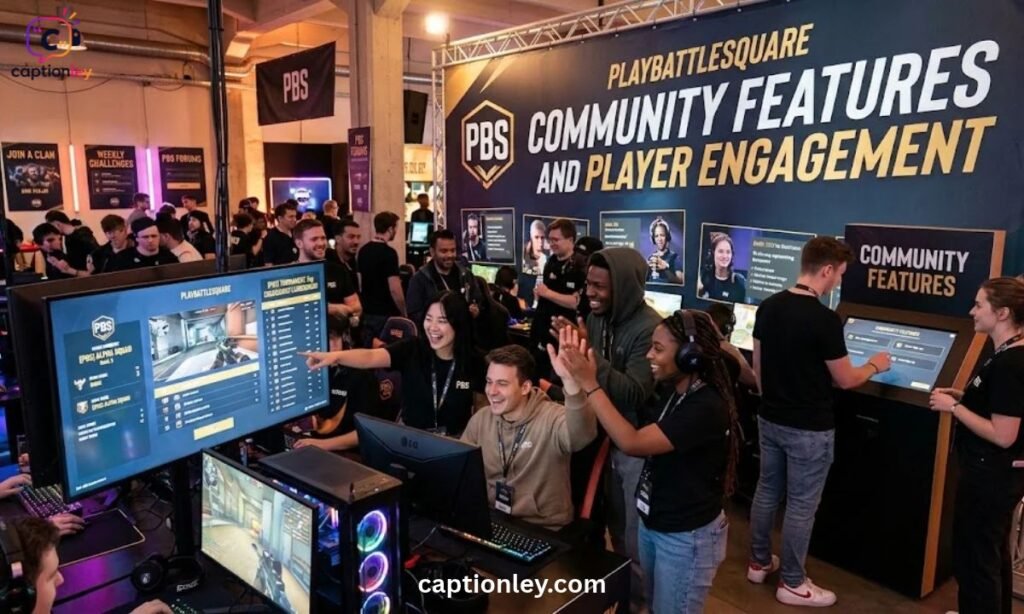
Learning sticks when you share it. Players who talk about strategies tend to grow faster. A friendly space makes that possible, and PlayBattleSquare community features aim to support it. Community also keeps the hobby fun.
That is why player engagement matters so much. It turns solo knowledge into shared wisdom, and it helps newcomers feel welcome. The online gaming community around any blog becomes a living library of ideas that grows with every conversation.
How Gaming Communities Support Player Learning
Communities act like study groups. Someone finds a clever build. Another person improves it. A third tests it in a new game. Through this loop, ideas spread quickly.
Newcomers also gain confidence by asking questions and getting kind answers. Gaming community interaction teaches more than rules. It teaches etiquette, teamwork, and patience. A player who sees how others solve problems learns new ways to think. That is why many top players credit their communities as much as their own practice.
Sharing Strategies, Tips, and Gaming Experiences
Share your own wins and failures. A short post about a failed Redstone design can save someone hours. Give honest feedback, and stay respectful. Good manners keep a community healthy.
Try these simple habits when you share:
- Explain what you tried and what happened
- Mention the game version or patch
- Credit people whose ideas helped you
- Answer questions politely
- Admit when something did not work
In turn, you gather fresh ideas for your next session. Sharing builds your reputation and sharpens your own understanding, since teaching a tip forces you to explain it clearly.
PlayBattleSquare vs. Other Gaming Blogs
Not every gaming site is built the same. Some focus only on news. Others chase reviews or videos. Knowing the differences helps you choose wisely. A fair PlayBattleSquare gaming blog review looks at structure, depth, and honesty.
Here is the short take on PlayBattleSquare vs other gaming blogs. PlayBattleSquare blends learning, performance, and hardware content. That mix suits players who want to grow. News-only sites suit players who just want headlines. Neither is wrong. They simply serve different goals.
Content Organization and Learning Resources
Clear structure saves time. The blog groups topics into easy paths for tutorials and walkthroughs. You can follow a path from basic to advanced without digging through endless pages. This setup also suits readers of PlayBattleSquare beginner guides, who need a clear starting point.
Good organization also helps returning readers. You can revisit a Redstone lesson or a settings guide in seconds. When comparing blogs, ask three questions. Can you find a topic quickly? Do guides build on each other? Are older posts easy to tell from newer ones? Strong answers signal a well-run site.
Key Advantages and Potential Limitations
Every site has strengths and weak spots. Being honest helps you decide. Here is a balanced look at both sides.
| Advantages | Limitations |
| Broad gaming coverage | Niche games may get less attention |
| Practical, easy tutorials | Older guides can age after patches |
| Hardware and performance tips | Advanced topics may need extra sources |
| Beginner-friendly structure | Meta advice changes quickly |
The table shows that most limits come from the nature of fast-changing games, not from poor quality. The meta, which means the currently strongest strategies, shifts with each patch. Always check a guide’s date and compare advanced advice with a second source before you commit.
Who Should Use Playing Games Blog PlayBattleSquare?
Chances are, one of these groups describes you. The blog aims to help each type of player, and its content stretches across many needs. A new player wants basics. A ranked grinder wants edges. A builder wants blueprints. A tech fan wants better gear.
Use the sections below to find your fit. Each one explains what that group can expect and how to start.
Beginners Looking for Gaming Guides
New to gaming? You are in good company. Beginner gaming tutorials remove the scary parts with clear steps that explain controls, goals, and basic tactics. You build confidence before jumping into tougher matches.
PlayBattleSquare beginner guides also help casual readers who just want a relaxed experience. Start with one game, learn its basics, and add new skills slowly. Avoid reading ten guides at once, because too much advice can feel heavy. One lesson per session works well and keeps the hobby fun.
Competitive Gamers Seeking Better Strategies
Ranked players need sharper tools. Look for lessons on positioning, team talk, and decision-making, then add performance tips on top. Together, they create a steady path toward higher ranks.
Competitive gaming strategies work best when you track results. Write down what you changed and how your matches went. Small gains in each area often add up to big climbs. Review losses more closely than wins, since mistakes teach more than victories. This habit separates players who plateau from players who keep rising.
Minecraft Players and Enthusiasts
Builders, farmers, and engineers all find value here. Building ideas, Redstone lessons, and survival plans fill the shelf. You can start with a small farm and later design a full automated factory.
The path stays open at every skill level. Newer players can focus on shelter, food, and storage. Experienced players can explore automation and large builds. Sharing finished projects with the community can also spark new ideas and friendly feedback, which keeps the game exciting long after the basics are mastered.
Gamers Interested in Hardware and Performance
Tech fans love tinkering. Equipment reviews, setup tips, and tuning advice keep them busy. You will learn what truly boosts play and what is just marketing.
That knowledge saves money and frustration. Before buying anything, measure your current FPS and temperatures, then decide what limits you. Often a driver update or cleaner airflow helps more than a new part. Read gaming content reviews with a critical eye, and compare at least two sources before spending serious money.
How to Get the Most Value From PlayBattleSquare
Reading alone will not level you up. You need to act on what you learn. Think of the blog as a map. You still have to walk the road. A simple routine makes the difference.
Try this rhythm. Read a guide. Play a session with one clear goal. Then check your results. Repeat the loop weekly. Soon you will notice real progress, and your gaming experience will improve in ways that feel steady rather than sudden.
Finding Relevant Gaming Tutorials
Start with your favorite game. Then choose a skill level. Beginners should pick basics first, and experienced players can jump to advanced pieces. Browse by genre when you want fresh ideas.
Searching with clear keywords, like “Minecraft farm guide,” also speeds things up. Save two or three guides that match your goal and compare them. If they agree on the main steps, you can trust them more. If they differ, check the date, since a patch may have changed the answer.
Applying Gaming Tips to Improve Your Gameplay
Test one change at a time. If you adjust five settings together, you will not know which one worked. Keep notes. Review your mistakes after each session.
A simple notebook or phone note works fine. Write the tip, the date, and the result. After a month, you will see which ideas truly helped. This habit turns tips into permanent skills. It also stops you from chasing every new trend, which saves time and keeps your play consistent.
Safe Online Gaming Practices for Every Player
Picture this. A pop-up promises free in-game currency. You click once, and suddenly your account is gone. Scams like this hit gamers every day. A little caution protects your progress, and PlayBattleSquare safety advice fits well with the habits below.
Good habits cost nothing. They keep your account, money, and friends safe. Public guidance from the FTC, which is the US Federal Trade Commission and handles consumer protection, and CISA, the US Cybersecurity and Infrastructure Security Agency, supports the same basic rules. Use these safe online gaming practices as a daily checklist.
Protecting Your Gaming Accounts and Personal Information
Gaming account security starts with unique passwords. Never reuse one across games. Turn on two-factor authentication wherever possible. This adds a second step, such as a code sent to your phone, when you log in.
Do not share logins with anyone, even friends. Personal information protection also applies to voice chat and public profiles. Keep your real name, address, and school private. These online gaming tips take only minutes to set up and can prevent weeks of stress. Review your account settings every few months to confirm nothing has changed.
Recognizing Unsafe Links and Suspicious Gaming Websites
Spot trouble early. Fake giveaways, odd redirects, and pop-ups full of unrelated gambling ads are red flags. Phishing, which means tricking people into giving up passwords, often hides behind these offers.
Use this quick checklist before you click:
- Read the full web address letter by letter.
- Check whether the site uses a secure connection.
- Be wary of deals that sound too good to be true.
- Never download files from unknown sources.
- Visit the official site directly instead of following random links.
Suspicious gaming websites often copy real brand names with small spelling changes. When in doubt, leave the page and type the official address yourself.
The Future of PlayBattleSquare and Online Gaming Blogs
Games grow more complex every year. Players need clearer guidance than ever, which is why the future of online gaming blogs looks bright. Expect smarter tools and richer lessons in the coming years. Blogs that teach well will stay valuable.
Several trends point the way:
- AI-powered recommendations may suggest guides based on your habits.
- Personalized learning paths could adapt to your skill level.
- Interactive tutorials may let you practice inside the lesson.
- Performance analytics could track your progress over time.
- Community-built strategy libraries will add even more depth.
For PlayBattleSquare, this likely means more personal help and faster updates after patches. Readers who build good habits now, such as testing one change at a time and checking dates, will be ready for these tools. The core idea will not change: clear teaching beats scattered tips.
Frequently Asked Questions
What Is Playing Games Blog PlayBattleSquare?
Playing Games Blog PlayBattleSquare is a gaming-focused website offering game guides, tutorials, gaming news, Minecraft strategies, and practical tips for players.
What Type of Gaming Content Does PlayBattleSquare Publish?
PlayBattleSquare covers gaming tutorials, walkthroughs, competitive strategies, Minecraft guides, hardware reviews, performance optimization, and the latest gaming updates.
Is PlayBattleSquare Useful for Beginner Gamers?
Yes, beginners can explore gaming guides, basic tutorials, gameplay strategies, and practical recommendations to understand games and gradually improve their skills.
Does PlayBattleSquare Provide Minecraft Guides?
PlayBattleSquare features Minecraft-related content, including building strategies, survival techniques, Redstone automation tutorials, resource management, and gameplay improvement tips.
How Can PlayBattleSquare Help Improve Gaming Performance?
Its performance guides discuss FPS optimization, graphics settings, input lag reduction, network stability, controller sensitivity, and keyboard and mouse configurations.
Is Playing Games Blog PlayBattleSquare Safe to Use?
Users should review website security, avoid suspicious links, protect gaming account information, and verify recommendations before downloading software or sharing personal details.
Who Should Visit Playing Games Blog PlayBattleSquare?
The website may interest beginner gamers, competitive players, Minecraft enthusiasts, and gaming hardware users seeking tutorials, strategies, equipment advice, and performance tips.
Conclusion
Gaming rewards curious players. What you get from the blog playbattlesquare.com website is a clear path to learn, tune, and enjoy more. From Minecraft survival lessons to FPS and input lag fixes, it covers what matters most. Add smart gear choices and safe habits, and you will feel the improvement fast.
Ready to level up? Pick one tip from this guide and try it tonight. Then come back and try another. Small steps lead to big wins, and steady practice, combined with the Playing Games Blog PlayBattleSquare, can make every session more rewarding.

Maryam is a passionate content writer with 4 years of experience at CaptionK, where she developed engaging and informative content. Currently, she is working at Captionley.com, creating high-quality content that connects with readers and delivers meaningful value.